Why use it?
The Resource Centre helps Community users quickly find the right contact channels and provides a range of self‑service options.
It supports both:
- users who prefer personal assistance, and
- users who want to explore and find information independently.
Where to find it?
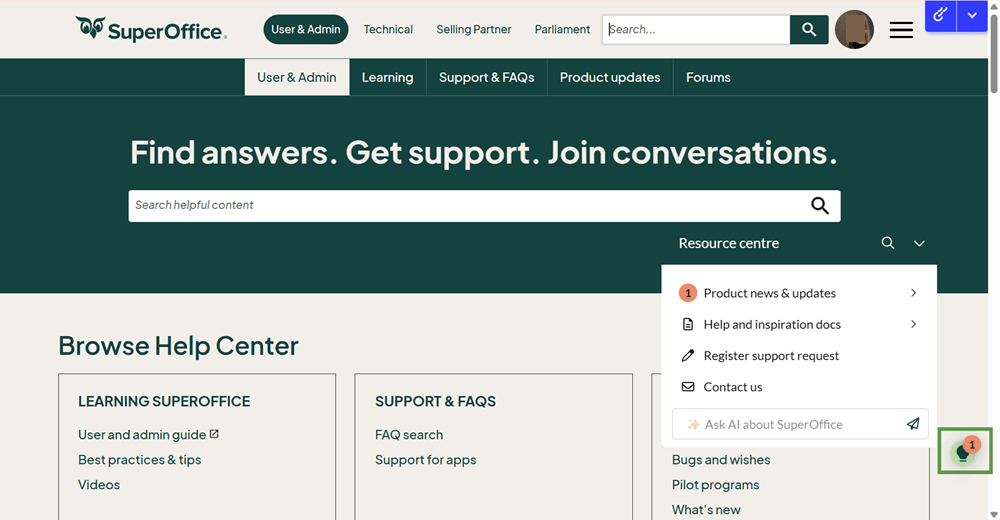
After you log in to Community (please log out and in again to get access to all the features), you will notice a green light ball icon in the right bottom corner. Just click on it, and the Resource Centre will expand. The Resource centre is visible on all User & Admin pages and sub-pages.
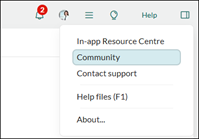
Tip: Not sure how to log in?
In your own SuperOffice CRM, go to Help (top right) > Community - you're logged in automatically.
PS: Your username and password are the same as your SuperOffice Online account.
How to use the search feature?
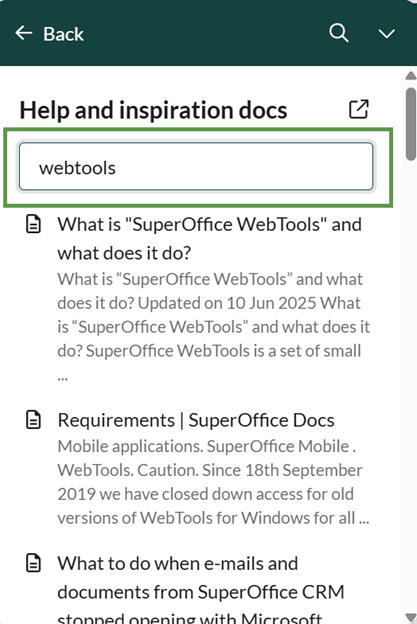
Within the Help and inspiration docs section, you can search across a wide range of indexed SuperOffice web pages. This makes it much easier to find relevant answers, and it helps guide you towards further learning resources on how to use SuperOffice and resolve your questions.
You can also search by clicking the search icon at the top of the Resource centre pop-out.
How to use the AI assistant?
The AI assistant is trained on general SuperOffice and product‑related information, including:
- product guides
- FAQs
- other English‑language documentation
It can respond in your local language using an AI translation engine. To get the best result, make your question as specific as possible.
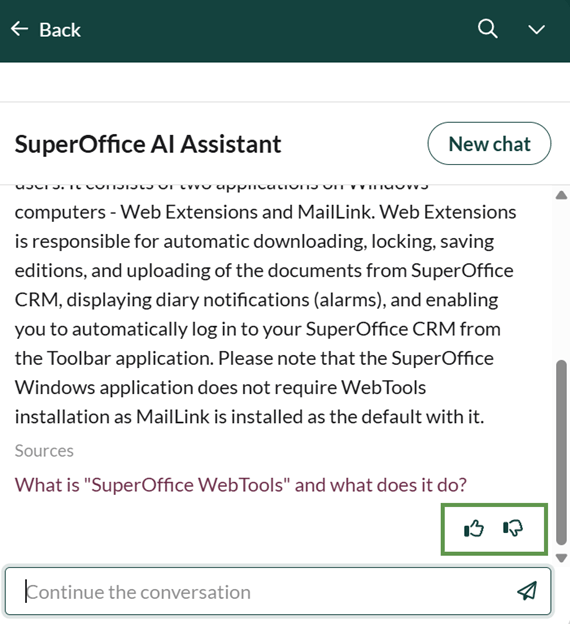
Let us know how well the AI assistant is helping you by giving a thumbs up or thumbs down. Your feedback is valuable - we are continually looking to improve the experience.
Who has access?
- If you are a SuperOffice Online user, you already have access to the built‑in Resource Centre. See how to use it in your CRM!
- If you are a Premium Support customer, you also gain access to the AI assistant inside the CRM. Check it out if you are interested in Premium Support.
12/8/2026 article for email testing - article comment